

I test security tools for a living, but the most effective identity safety plan I use doesn’t start with an app but with habits. You see, you cannot protect your identity with a signal catch-all app, so you need a stack of habits and tools that work together.
Step one is to lock down what criminals actually need (credit, credentials, and context about my life); then I add monitoring and recovery help in case something slips through. This isn’t paranoia on my side, but an attempt to reduce the blast radius if my data leaks. If you want to learn more about exactly how I do it, below I spell out what identity theft is (with real-world examples), the protection stack that works best in practice, the paid services worth considering, and how I harden a phone when I travel so a stolen device doesn’t turn into a stolen identity.
What is identity theft?
Identity theft happens when someone uses your personal data – like a Social Security number, account numbers, logins, or even a driver’s license – to impersonate you and commit fraud. That can mean opening loans, draining accounts, filing fake taxes, or racking up medical bills in your name. It often starts with phishing, malware, data breaches, oversharing, or old-school tactics like mail theft and dumpster diving, and it can take time to even notice it happened.
- Financial identity theft – A thief uses your bank or card details to siphon money, open credit, or hijack accounts – sometimes even investment or retirement accounts.
- Social Security identity theft – Your SSN gets used to obtain credit or benefits, leaving unpaid balances and a mess to unwind.
- Medical identity theft – Someone uses your insurance to obtain care or prescriptions, which can also pollute your medical records.
- Synthetic identity theft – Criminals blend real data (often an SSN) with fake details to build a “new” person and open accounts that evade simple checks.
- Child identity theft – A child’s clean SSN is used for loans, services, or employment; it can go undetected for years.
- Tax identity theft – Fraudsters file a return in your name to divert a refund, often discovered only when you try to file.
- Criminal identity theft – An offender gives your information during an arrest to avoid warrants or records attaching to their real identity.
There are obviously more types, but these are the main ones you should be aware of and prepare against.
What is the best identity theft protection
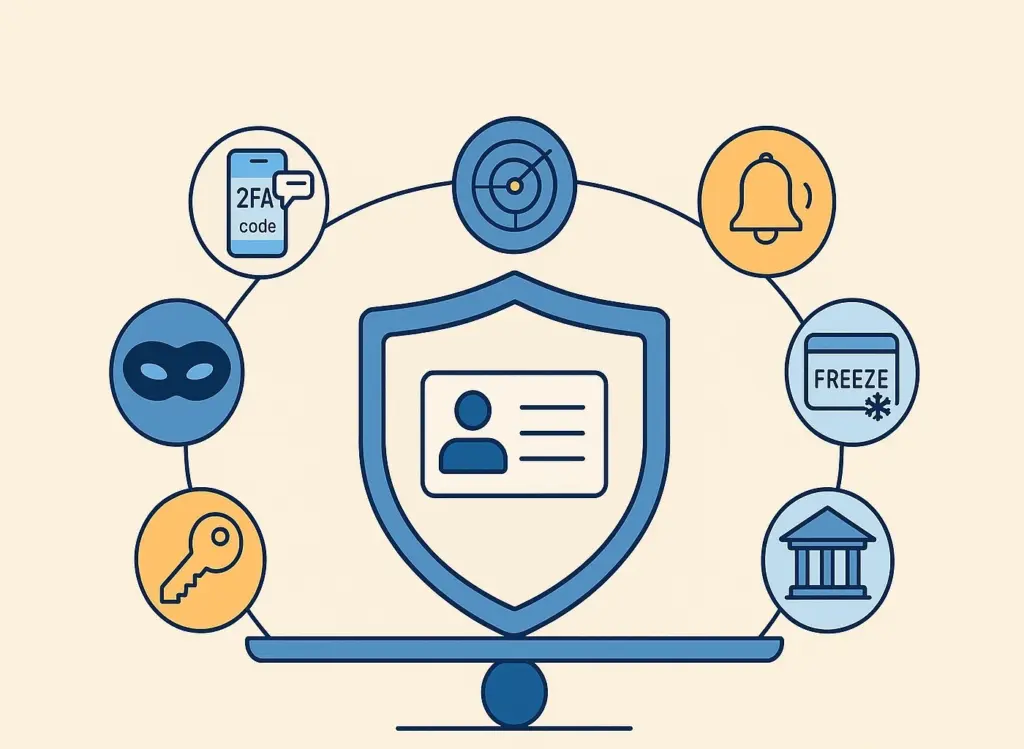
My “best” isn’t a brand, a single tool, or a quick fix that takes care of everything. You must understand that real, effective identity protection requires a layered plan:
- Freeze credit at all three bureaus – free and reversible. This blocks new-account fraud at the source. Unless you’re actively seeking credit, place freezes with Equifax, Experian, and TransUnion; thaw temporarily when you need to apply. You can also freeze a child’s file.
- Monitor what matters on a schedule. Pull free credit reports regularly (for the US, phone: 1-877-322-8228 or online at the official Annual Credit Report site). I spread requests across bureaus so I’m checking throughout the year. Review bank and card statements immediately when they arrive and dispute unknown charges at once.
- Shut down data fuel. Opt out of pre-approved credit offers (phone: 1-888-5 OPTOUT for US), and be stingy with your SSN – ask for an alternative identifier when a business requests it. Tighten social media exposure so basic details aren’t handed to phishers.
- Harden logins and devices. Use long, unique passwords (a manager helps), enable multifactor authentication (text/app/biometrics), keep software and antivirus current, and use a VPN on public Wi-Fi. Don’t install random apps or click unknown links; avoid “free” software from sketchy sites.
- Use monitoring where it helps. Identity monitoring can watch for breached data, dark-web exposure, and credit changes, and many plans include restoration specialists and insurance (often up to $1M) for covered losses and services. Alerts don’t stop theft, but they speed your response.
Lastly, you must be well-acquainted with the emergency playbook. If you suspect misuse, document everything and immediately: place a fraud alert, freeze your credit, close or lock compromised accounts, and report to the FTC (IdentityTheft.gov or 1-877-438-4338). Police reports, dispute letters, and new credentials (cards, PINs) come next; restoration teams from your plan – if you have one – can also help. And if you won’t maintain those basics yourself, paying for a service to monitor and help you recover is a rational trade too.
Top identity theft protection companies
I look for three-bureau credit monitoring where possible, fast alerts, clear restoration help, and fair pricing. Below is a quick field guide based on hands-on feature sets and plan details.
LifeLock (with Norton)
I favor LifeLock when I want wide-angle monitoring and device security in one ecosystem. On the identity side, it can watch for new credit activity across bureaus, flag bank and card movements (like withdrawals or balance transfers), and keep an eye on investment and retirement accounts. It also looks for higher-risk activity such as payday-loan attempts and buy-now-pay-later misuse, plus it includes defenses for synthetic identity abuse – useful when criminals stitch real and fake data together.
The Norton side brings heavyweight antivirus, a VPN, tracker/ad blocking, password management, cloud backup, parental controls, and tools that remove your details from people-search sites.
That mix means I’m shrinking my public data footprint and reducing malware/phishing risk that often precedes identity theft (rather than just reacting to alerts). Add restoration help and robust insurance, and it’s a strong “all-in” option.
Aura
Aura stands out for bundling thorough identity monitoring with practical privacy and family protections. It monitors credit across bureaus, scans for breached or leaked data (including on dark-web markets), and adds unique checks like home and auto title monitoring to catch title-based fraud early.
I also like its security bundle: antivirus, a built-in password manager, email aliases for throwaway sign-ups, and a “Privacy Assistant” that automates removal requests to data brokers – reducing how much of my life is exposed to scammers.
Families get broad device coverage and guidance for kids, including parental controls and protections aimed at online harassment and predatory behavior. Fast alerting speeds are a plus; catching risky activity quickly makes disputes and recovery far less painful.
In short, Aura’s value is the way it blends monitoring, privacy cleanup, and everyday device safety – especially for households.
NordProtect
NordProtect is compelling if you want prevention as much as detection. It wraps core identity monitoring and credit checks with the full NordVPN stack and Threat Protection Pro, so I’m filtering web traffic, blocking malicious downloads, and cutting off many attacks before they ever reach my accounts. I can also pair it with Incogni – the data-removal service that automates takedowns from hundreds of broker sites – so there’s less fuel for impersonation and phishing.
Setup enforces multi-factor authentication, and the dark-web scanning lets me track multiple emails and phone numbers for breach exposure. Alerts are quick, and identity theft insurance plus recovery help backstop the monitoring.
Today, it focuses on credit checks through a single bureau, with broader coverage rolling out on the roadmap; the headline, though, is the prevention-first posture: strong VPN, active malware defenses, and privacy scrubbing tightly integrated with the alerting.
Identity Guard
Identity Guard’s calling card is its AI-assisted monitoring. It’s designed to surface exposure across leaks and public records, and it’s particularly good at digging up old, dormant accounts that are easy for crooks to repurpose. I can add social profile monitoring to catch account takeovers and spammy activity tied to my name, which helps protect your reputation as well as finances.
For credit hygiene, it offers options up to three-bureau monitoring, along with tools that watch financial accounts and lock credit through Experian; this is useful when you want quick control while investigating alerts.
Families are well served, with plans that cover multiple adults and kids, so everyone’s SSNs, emails, and account details get continuous checks. The dashboard organizes alerts cleanly, which makes acting fast – freezing, disputing, changing credentials – far less chaotic during a stressful incident.
Surfshark Alert (via Surfshark One)
Surfshark Alert is my pick when the priority is breach exposure and everyday digital safety on a budget. It monitors for leaked identity elements – emails, SSNs, driver’s license and passport numbers, and payment cards – and sends scheduled breach digests so I can rotate passwords or kill cards before misuse.
Because it comes inside Surfshark’s broader security bundle, I also get a solid VPN and antivirus, which cuts down on phishing and malware that often lead to identity theft in the first place. If I want to go further on privacy, I can add Incogni to automate removal from hundreds of data-broker sites – reducing spam, scams, and social-engineering ammo.
While Surfshark Aler doesn’t include full-blown credit monitoring, it’s excellent for keeping tabs on what of mine is circulating and for tightening day-to-day device and network security.
IdentityIQ
IdentityIQ is built for people who want a tight grip on credit health alongside identity monitoring. Beyond alerts for dark-web exposure and SSN misuse, it brings genuinely useful credit tools: monthly reports, change alerts, and even a score tracker and simulator so I can see how actions will affect my score. I appreciate the extras aimed at reducing attack surface: synthetic identity detection in public records, Lost Wallet Assistance to help cancel and replace cards and IDs quickly, and Opt-Out IQ, which auto-registers me to curb junk mail and adds my numbers to do-not-call lists. For device safety, IdentityIQ partners with Bitdefender for antivirus and a VPN – handy if I want one vendor to cover monitoring and malware defense. Family options are available, and restoration/insurance support is there if fraud slips through.
IdentityForce
IdentityForce puts a lot of emphasis on high-fidelity alerting and broad exposure checks. It monitors credit activity across bureaus, keeps watch on the dark web for breached personal and financial data, and supports child monitoring so parents can catch misuse of a minor’s SSN before it snowballs.
I like the posture toward “fast signal, fast action”: alerts are tuned to suspected fraud, which helps me prioritize freezes, disputes, and password resets without drowning in noise. It also includes mobile and device protections, so I’m not relying on a patchwork of separate tools to handle antivirus or app-level risk on the go.
For households, the ability to bring kids under the same umbrella is valuable, and if something does go wrong, there’s restoration help and insurance to offset the time and expense of cleanup.
How can you protect a mobile device while traveling
When I’m away from home, I assume local networks, chargers, and even customs inspections could expose my data. Here are the main safety rules that I try to adhere to:
Before the trip
- Update the phone OS and all apps; enable automatic updates.
- Set a strong device passcode (at least six digits; longer is better), turn on full-disk encryption, disable lock-screen previews, and set auto-lock to 5 minutes or less.
- Enable Find My (iOS/Android) and test remote-lock/remote-wipe from a laptop you’ll bring.
- Pare down data: remove unneeded banking/crypto/payment apps; keep copies of tickets and IDs in an encrypted cloud account.
- Consider a travel-only device with minimal accounts, and buy a destination SIM in advance from a reputable seller.
- Pack only trusted chargers and cables; avoid public USB. Bring a wall plug or battery pack.
- Add a carrier SIM-change/PIN so a thief can’t easily port your number.
On the trip
- Keep physical control: don’t leave the phone in hotel safes; keep it concealed in front-worn pockets or a zipped pouch.
- Turn off radios you’re not using (Bluetooth/NFC/Wi-Fi), and avoid open Wi-Fi; if you must connect, use a reputable VPN and skip banking or purchases.
- Disable location services unless needed; re-enable briefly for maps, then turn off.
- Connect only to your own chargers and trusted peripherals; do not plug into kiosk chargers or unknown computers.
- Watch for tampering; if a device behaves oddly (unexpected prompts, heat, battery drain), stop using sensitive apps and plan to wipe when you get home.
- On iPhone, features that require biometric confirmation away from familiar locations add friction to thieves changing key settings; keep Face ID/Touch ID enabled alongside a long passcode.
If it’s stolen
- From another device, lock and remote-wipe immediately and mark it lost.
- Change passwords for accounts used on the phone and revoke app tokens.
- Contact your carrier to disable the line and block SIM changes.
After the trip
- Physically inspect the phone, then factory-reset and restore from a clean backup if you used a dedicated travel device – or if anything seemed off.
- Swap back to your home SIM, update, and re-enable only the permissions you truly need.
Make Identity Safety Routine
I treat identity protection like fire safety: prevent sparks, detect smoke fast, and keep an extinguisher handy. The simple truth is that the best protection is boring consistency: freezes, updates, strong authentication, and quick reactions. Paid monitoring can add dark-web checks, faster alerts, restoration help, and insurance, but it’s still the second line of defense. The first line is you. If something goes wrong, be ready with freezes, fraud alerts, documentation, and the FTC recovery path. With a plan you rehearse, you’re not guessing on the worst day, you’re just executing a pre-planned sequence of damage-control steps, which makes everything that much easier.
