

Modern attackers don’t always rely on dramatic breaches; one misplaced laptop or unmonitored workstation can open the door. As organizations shifted to remote and hybrid work, the number of vulnerable endpoints increased dramatically. Traditional antivirus tools are no longer enough to identify or contain advanced intrusions.
You see, Endpoint Detection and Response (EDR) emerged as a way to close that gap. It combines continuous monitoring with rapid reaction to suspicious activity. In this article, I will explain how EDR works, compare it with related technologies, and outline the best ways to deploy and maintain it effectively.

What Is Endpoint Detection and Response?
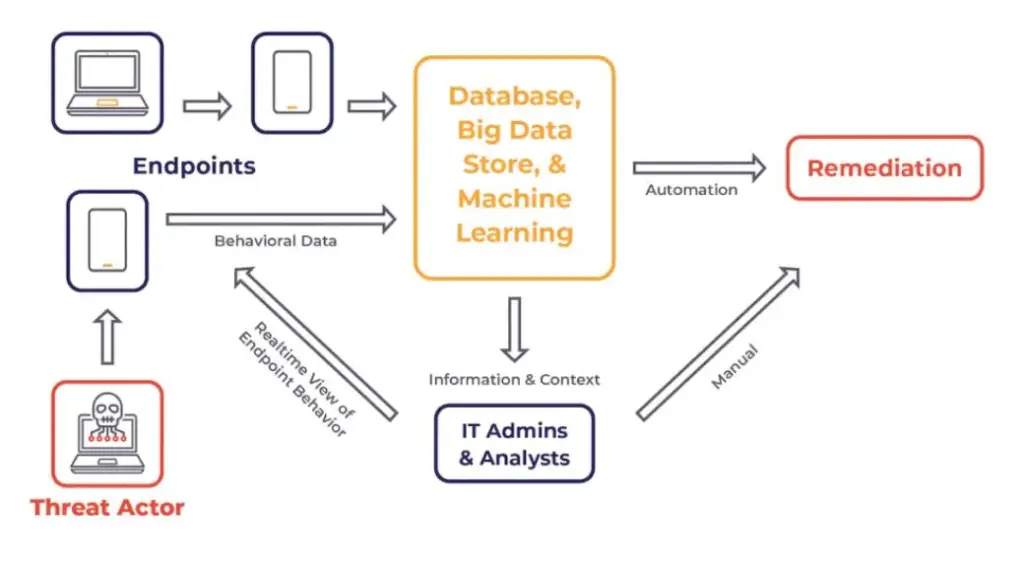
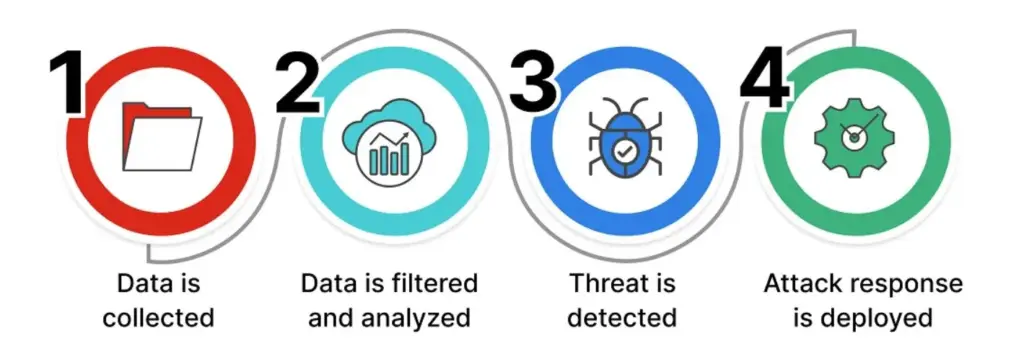
Endpoint Detection and Response refers to a class of tools that continuously observe endpoint activity. Each sensor records what happens on a device – process launches, file changes, command lines, and network connections – and forwards that data for analysis. When patterns suggest malicious behavior, the system alerts defenders and can take automatic action.
An analyst working in an EDR console can see the full picture: how an incident began, what it touched, and which systems are affected. From there, they can isolate a device, end a process, or roll back harmful changes. APIs also connect these tools to ticketing or case management systems, keeping responses consistent across teams.
Edr vs Mdr vs Xdr (Who Does What?)
Before choosing an approach, consider three questions: do you have 24×7 security staff, do your threats spread beyond endpoints, and how much integration work can your team handle? Those answers determine whether you rely on EDR alone, add Managed Detection and Response (MDR), or adopt Extended Detection and Response (XDR).
EDR is a toolset that gathers and analyzes endpoint data. MDR adds a managed service, providing continuous monitoring and human expertise on top of that software. XDR expands the view by collecting signals from email, identity, cloud, and network systems. The goal is to connect events across environments rather than examining them in isolation.
Organizations without round-the-clock coverage usually benefit from MDR. Businesses with mature in-house teams or broad infrastructures tend to explore XDR for its correlation capabilities. Those with limited budgets often start with EDR, focusing on good telemetry and clear response playbooks.
Edr vs Siem (And Why They’re Better Together)
EDR and SIEM serve different purposes that complement each other. EDR specializes in analyzing endpoint behavior and taking immediate action. Оn the other hand, SIEM systems collect and store logs from across the organization for broader analysis and long-term retention.
By feeding EDR alerts into a SIEM, analysts can connect endpoint events with identity or network data. This creates a single chain of evidence that can trigger automation in a SOAR platform. The result is a smooth flow from alerts to incidents to actions – each supported by consistent context and historical data.
Edr Features Checklist (What to Demand in 2025)
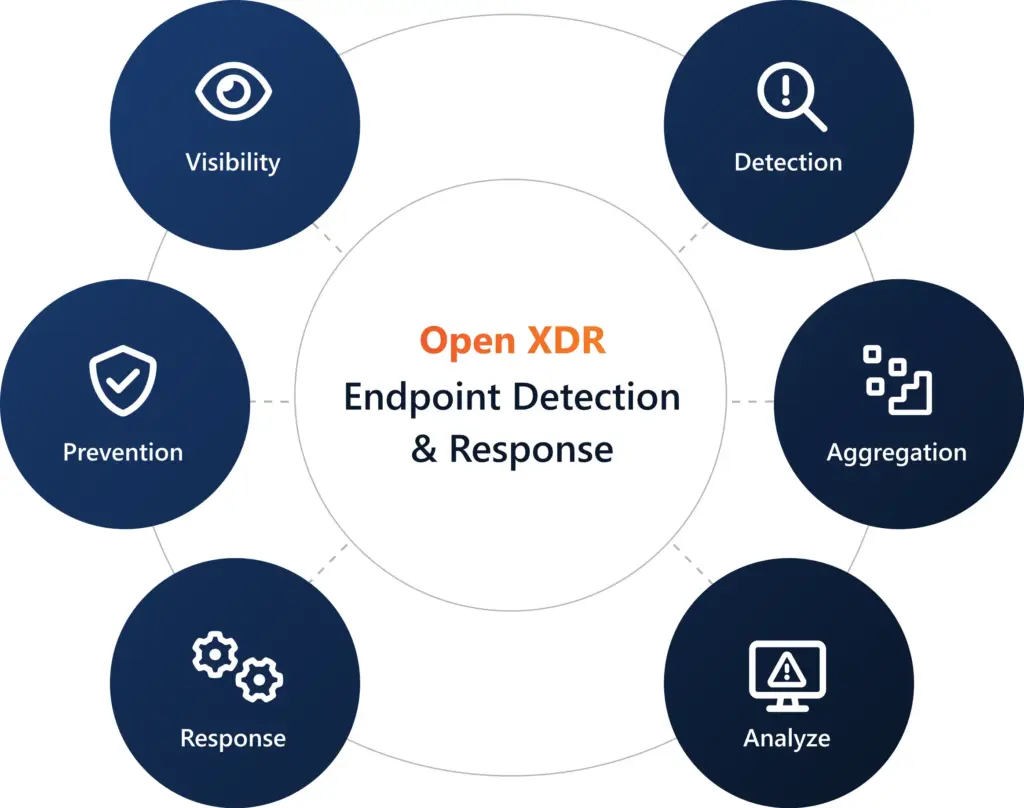
A reliable EDR platform should provide detailed visibility into endpoint activity, including process, file, registry, network, and command-line monitoring. It should support live response capabilities such as remote isolation, process termination, and rollback. Telemetry depth matters more than flashy dashboards or marketing terms.
Cross-platform consistency is another priority. EDR must perform equally well on Windows, macOS, and Linux. Role-based access control, tamper protection, and configurable data retention help maintain governance. Strong APIs and webhooks make integration with SIEM or ticketing systems smoother and reduce manual work.
Finally, transparency should guide your selection. Detection logic, response rules, and data-handling practices must be documented and testable. It is worth verifying performance against public frameworks or conducting small internal exercises. That extra step helps you see whether the tool’s promises hold up under real-world pressure.
Edr Deployment Best Practices
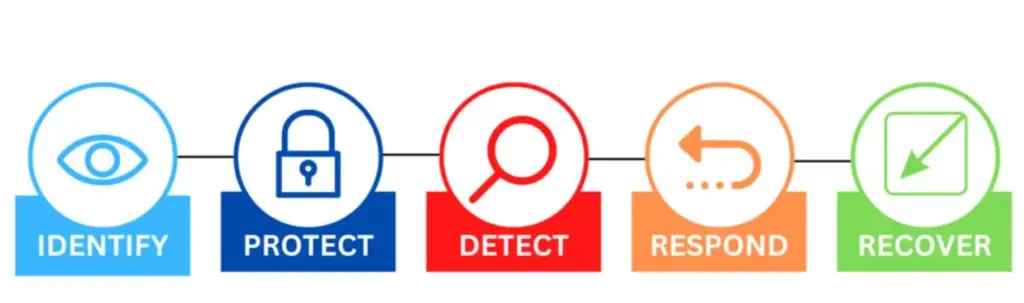
The thing is…a successful deployment starts small and expands gradually. Begin with a detect-only pilot on a limited number of machines – some desktops, a few servers, and one or two specialized environments. Measure how many false positives occur and how quickly data reaches your console before expanding coverage.
Once tuning is complete, enable active response and move to critical assets. Prepare short runbooks that explain who approves containment, how to document findings, and when to escalate incidents. By the second month, link EDR alerts to your chat or ticketing tools and assign weekly review sessions to refine rules.
By day ninety, most organizations can extend EDR across the fleet. Apply uninstall protection, set change controls for policies, and verify agent health regularly. Routine checks for coverage, event delays, and alert accuracy keep your program stable and predictable as it scales.
Reduce Edr False Positives Without Losing Visibility
Begin with allowlists for trusted applications and signed administrative tools. Introduce new detection rules gradually, using a “draft → monitor → enforce” cycle. Adjust thresholds only after analyzing genuine traffic and typical workloads. Avoid disabling detections outright unless a separate safeguard replaces them.
For noisy systems such as build servers, refine suppressions to specific command-line patterns or process chains rather than whole executables. Review exceptions monthly and record justifications for each change. This documentation keeps the environment quiet without creating blind spots.
Edr Performance Impact (How to Keep Endpoints Fast)
Real-time monitoring and local analysis use system resources. Start with the vendor defaults, then fine-tune based on measured performance. Exclude directories filled with temporary files or large builds if they generate unnecessary scans. Where possible, offload analytics to cloud services.
Monitor CPU and memory usage under normal workloads – during calls, backups, and software compiles – to identify pressure points. Adjust schedules or policies by device role. Slightly reducing sensitivity on low-risk machines may keep them responsive while maintaining adequate protection.
MacOS Edr – What’s Different on Apple Endpoints
macOS uses a newer security model based on System Extensions rather than kernel extensions. These operate in user space and require specific approvals managed through mobile device management. Transparency, Consent, and Control (TCC) prompts can block sensors until the right permissions are applied, so deployment planning is essential.
I mean, Apple’s built-in defenses handle basic malware detection and cleanup, but they do not provide the telemetry or remote control needed for enterprise-scale response. Comprehensive macOS EDR tracks shell activity, startup persistence, and network connections, sending data even when devices are outside corporate networks.
Choose solutions that publish configuration profiles and explain what permissions they require. Test updates on Apple Silicon devices and confirm that notarization changes do not interrupt sensors. Make sure privacy settings allow EDR to collect relevant data while still honoring user consent requirements.
EDR for Compliance (HIPAA, PCI-DSS, SOC 2)
Compliance frameworks do not prescribe specific tools; they require proof that security controls exist and work. EDR supports this by maintaining detailed logs of detection and response actions. These logs can demonstrate how an organization identifies malware or handles security incidents.
EDR records help satisfy HIPAA’s requirements for tracking and responding to suspicious activity. PCI-DSS expects organizations to detect and remediate malicious code on systems handling payment data. SOC 2 emphasizes continuous monitoring, change management, and incident documentation – all supported by EDR’s auditing capabilities.
Prepare a simple matrix linking each control to evidence your EDR can produce. Test data retrieval in advance of audits, and confirm retention periods align with policy. Reliable documentation often makes the difference between a smooth audit and a stressful one.
EDR on Linux
Linux environments bring unique challenges: many are headless, performance-sensitive, or embedded in automation. Quality coverage uses audit frameworks or eBPF to observe process creation, privilege changes, and network socket activity across distributions and kernel versions. Testing compatibility early saves major frustration later.
Focus detection on actions that commonly indicate misuse, such as unexpected shell spawns or credential scraping attempts. Add monitoring inside containers if workloads rely heavily on them. Buffer events locally for systems with restricted internet access, and integrate live response actions into your standard change control process.
How Edr Detects Ransomware
Ransomware behavior is noisy if you know what to watch for. Rapid file renames, mass encryption, and deletions of shadow copies usually appear early in the attack. EDR detects these patterns and can isolate a device automatically, sometimes restoring files through rollback features.
The thing is…ransomware wins when coverage is incomplete or tamper protection is turned off. Keeping sensors current and enforcing policies consistently matters more than adding new features. Periodically run controlled encryption tests to verify that alerts trigger and isolation occurs within an acceptable window.
After containment, analysts can rebuild an attack timeline, remove persistence mechanisms, and validate backups before reconnecting systems. Detailed records of the event – timestamps, file paths, and user accounts – feed back into tuning so the next attempt triggers faster responses.
Edr Tamper Protection
Limit who can disable sensors, uninstall agents, or modify policies. Enforce these restrictions through role-based controls and maintain audit trails for each administrative action. Monitor sensor heartbeat signals and generate alerts when endpoints stop reporting or when configurations change unexpectedly.
On Windows, enable built-in hardening features such as Attack Surface Reduction and script monitoring. Across all platforms, log any policy downgrade events and review them for abuse. Regular audits of administrative tools and command-line activity help reveal subtle attempts to weaken defenses.
Open-Source Edr Options
Open-source EDR solutions appeal to organizations that prefer transparency and control. They usually combine host sensors with a central analysis platform. Setting them up requires effort – building parsers, configuring dashboards, and defining data retention policies – but they provide flexibility commercial products may lack.
Coverage is strongest on Linux, improving steadily for macOS, and reasonable for Windows with customization. However, automated containment and rollback often need custom scripts. Plan for additional engineering time and clear operational ownership to prevent gaps during incidents.
Hybrid strategies are practical. Keep open-source telemetry where it excels, add managed detection services for after-hours monitoring, and deploy commercial tools for high-risk assets that demand immediate isolation and vendor support. Balancing these layers can keep costs stable without compromising visibility.
The Importance of Endpoint Detection and Response: Conclusion
Endpoint Detection and Response has become an essential part of modern security programs. Its effectiveness depends on thoughtful deployment, steady tuning, and attention to how each platform behaves. You see, strong anti-tamper settings, accurate detections, and rehearsed playbooks turn chaos into a predictable response.
Use the features checklist to validate options, follow a gradual rollout, and maintain evidence ready for compliance checks. I mean, the goal is to shorten the distance between detection and action without overwhelming staff or slowing users. When that balance is achieved, EDR stops being a burden and becomes a quiet safeguard.
