

Snaptroid pops up online with a seductive shortcut: enter a Snapchat username and supposedly pull up chats, snaps, or hidden folders. That promise targets curiosity first and caution later, which is exactly how a scam funnel likes to greet you.
You see… the pitch leans on jealousy, worry, and “just checking.” It normalizes snooping, then rushes you with buttons like Start or Download so you skip basics such as checking the publisher, domain history, or app store listings.
Under the name, I find rotating lookalike pages and occasional downloads, not a stable product with accountable owners. The point is rarely results; it’s to convert your attention into installs, data, or payments.
Treat any interaction as a small security event, especially if you typed details, enabled notifications, or installed something. I’ll cover whether Snaptroid is real, how it operates, why it fails, and how to recover safely.
Scams like Snaptroid are known to steal personal data and passwords. Install SpyHunter Pro to scan for risks, remove dangerous trackers, and enable real-time protection.
 OFFER
OFFER*Source of claim SH can remove it. Trial w/Credit card; image is for illustration; full terms.
Is Snaptroid real?
The thing is… a legitimate Snapchat tool that exposes private content without permission would be a major breach, and it would trigger rapid takedowns and patches. Instead, Snaptroid, similar to VadeTroid, Streakvade, keeps reappearing as clones with similar layouts, shifting domains, and grand claims that don’t withstand basic scrutiny.
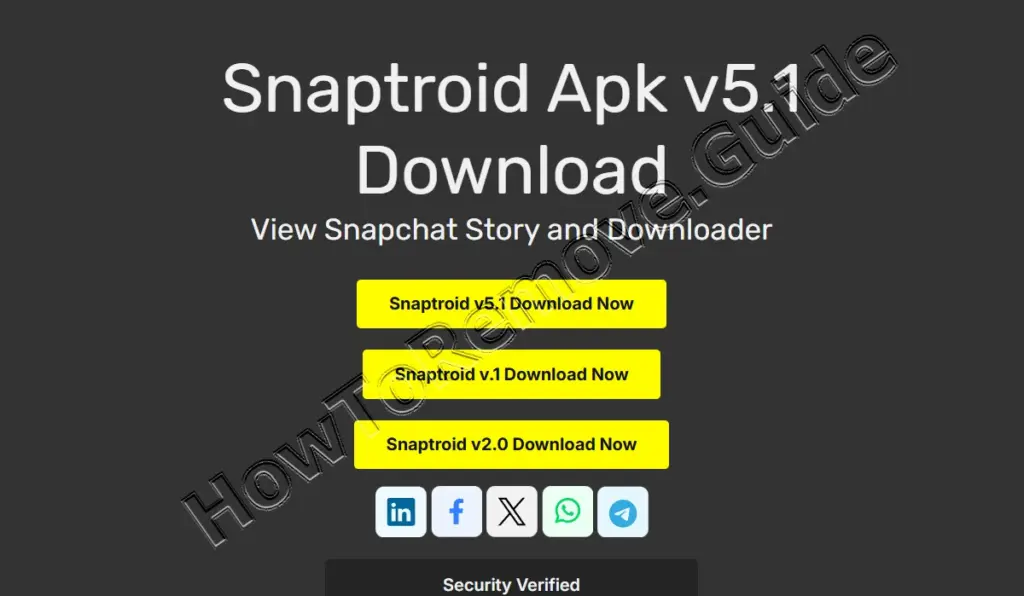
A common tell is the “product page theater”: version numbers, fake ratings, and “updated recently” badges that exist to manufacture trust. You’ll often see compatibility claims for iOS, Android, and PC all at once, which is unusual for real software with a real development team.
What I’ve observed is a brand-name shell around a funnel. It may present itself as “official,” “VIP,” or “Pro,” but the experience trends toward loops, redirects, and prompts that extract data, money, or permissions rather than delivering any verifiable Snapchat capability.
Is Snaptroid safe?
I mean… even before you click anything, the underlying request is risky: it asks you to chase access to someone else’s private information. That mindset makes people ignore warning signals they’d normally catch, like odd domains, aggressive popups, and vague legal disclaimers tucked into tiny footer links.
The biggest danger appears when the site pushes an Android APK or a browser extension. Installing software from outside official stores often requires disabling protections, and a malicious app can abuse permissions to spam ads, monitor behavior, or intercept sensitive notifications such as login codes.
Even if no malware is installed, the “verification” steps can still do damage. Surveys, trial sign-ups, and phone-number forms can turn into spam, premium SMS charges, or recurring payments that are hard to trace because the merchant name may look unfamiliar on your statement.
Does Snaptroid work?
Most reports converge on the same outcome: it never produces real Snapchat data. The interface may pretend to “scan” or “retrieve” content, but the process is staged to build anticipation and keep you invested long enough to complete offers or hand over information.
The thing is… Snapchat’s private areas aren’t public webpages you can query by username alone. To see chats or protected memories, a system must authenticate you as the account owner, and that access is guarded with session checks, encryption, and server-side controls that a random website can’t bypass.
In simple tests, some Snaptroid pages claim “success” even when given made-up usernames, which is a strong sign the output is fabricated. If a tool can’t distinguish real accounts from imaginary ones, it’s not “hacking Snapchat”; it’s running a scripted illusion.
What to Do If You’ve Fallen for the Snaptroid Scam
Act based on what you actually did: visited a page, entered details, allowed notifications, installed an app, or typed a password. Start by stopping the interaction immediately, closing the tabs, and avoiding any further “one last step” prompts that try to pull you deeper.
Next, think in layers: account security, device security, and payments. A scam can hit only one layer or all three. The cleanup is easier if you move systematically, and it’s okay to treat this like triage rather than trying everything at once.
So first go into the actual app settings and change the password not a tiny tweak a brand new passphrase and save it in a password manager so you stop recycling logins
Next time out turn on two factor authentication and if you can pick an authenticator app and stash the backup codes offline because when things go sideways those codes are the lifeboat
Now check who is logged in hit login activity or security sign out anything you don’t recognize and kill any weird third party connections
Then clean your browser because fake sites love notifications go to site settings remove the junk and clear stored data
If you installed an APK or extension uninstall it but first look for permissions like accessibility notification access overlay or device admin and disable them
Finally audit payments and subscriptions and for the next few weeks watch for reset emails login alerts and random texts If spam surges change your signup email and tighten filters
How the Snaptroid Scam Tricks You
You see… the scam isn’t built around code wizardry; it’s built around human attention. The copy frames snooping as harmless fun, then adds urgency so you click before thinking. That emotional nudge is the first “exploit,” and it works on perfectly smart people.
The funnel usually starts with a simple action that feels reversible, like entering a username. Then it escalates to commitments that are harder to undo: allowing notifications, installing something, or completing “verification” tasks that trade your time and data for nothing.
A final layer is plausible-deniability language. Pages often include disclaimers that conflict with the marketing, so the operator can say it was “just entertainment” while still collecting installs, survey completions, or payment details. That contradiction is a feature, not a bug.
Recognizing Warning Signs of the Snaptroid Scam
A lot of these Snaptroid pages are built to look familiar on purpose, but the details give them away, so don’t stare at the flash, watch what they’re asking you to do. Okay so time out here, real security tools don’t promise private Snapchat access without the official login flow, and they don’t hide the risky part behind slippery disclaimers, that’s your first red flag.
Now notice how the page behaves, it tries to shove you into action before it proves anything, like it claims it can pull chat history or “private snaps” from a username, it flashes fake legitimacy cues like huge download counts, star ratings, or “updated an hour ago” with no verifiable publisher, it pushes an APK, IPA, or extension from a random site instead of an official store, it blocks you with “human verification” that’s really sponsored installs, surveys, or a phone number grab, and it asks you to “connect” Snapchat or type your password anywhere outside the real Snapchat login. Then it keeps nagging you to enable notifications or accept sketchy permissions, because that’s how it keeps pinging you.
If you already clicked around, don’t negotiate, back out, revoke permissions, delete anything you installed, change your password, turn on two-factor, and run cleanup steps immediately.
Conclusion
Snaptroid is best treated as a rotating scam label, not a functional Snapchat companion. Its core promise conflicts with how Snapchat protects private data, and the “results” are typically theater meant to steer you into installs, surveys, credentials, or payments.
The safest posture is boring and effective: keep Snapchat use inside official apps, avoid sideloaded downloads, and treat any “enter a username to reveal secrets” pitch as a red flag. When curiosity spikes, channel it into verification, not clicks.
